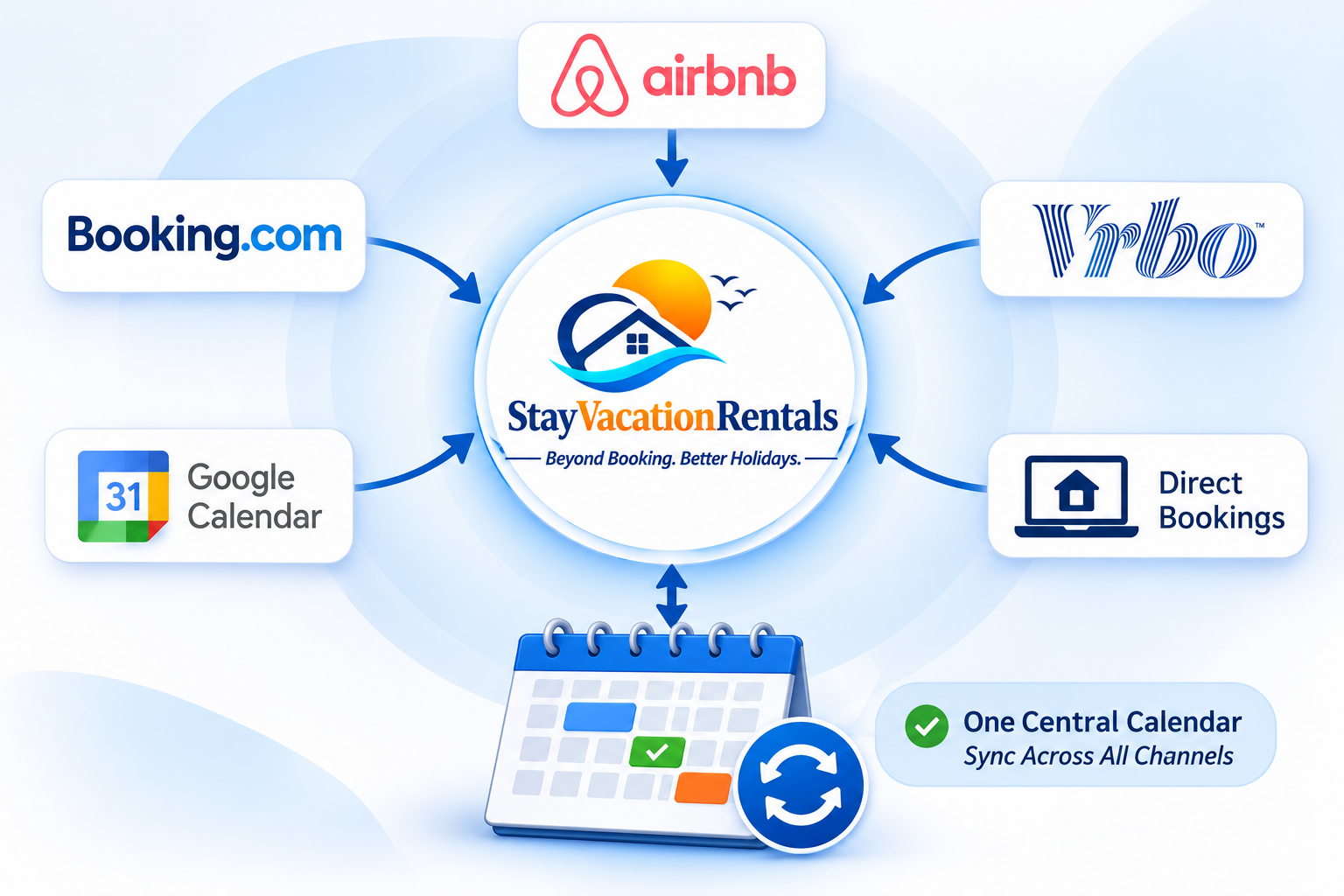
StayVacationRentals calendar hub connecting compatible booking calendars

Vacation rental calendar synchronization

One Calendar. Every Booking Channel.

Connect compatible iCal links from Airbnb, Booking.com, Vrbo, your direct website, and other iCal platforms. See imported reservations and blocked dates in one place.

iCal updates are periodic, not instant. External channel refresh timing may vary.

Availability hub

Every channel points to one clear availability view.

AirbnbiCal feed
Booking.comiCal feed
VrboiCal feed
Direct websiteSVR dates
Other iCalCompatible feed
SVR CalendarYour availability hub

The problem

Managing multiple OTAs shouldn't mean managing multiple calendars.

If you list your vacation rental on Airbnb, Booking.com, Vrbo and your own website, keeping availability updated can quickly become a full-time task.

  • Constantly checking multiple booking platforms
  • Manually blocking dates after receiving a booking
  • Risk of double bookings
  • Losing track of availability
  • Spending time on repetitive calendar updates
  • Managing multiple properties across different accounts

The SVR solution

SVR brings compatible calendar feeds together for a clearer availability view.

Import channel events, review blocked dates in your property calendar, and publish the SVR feed for platforms that support iCal subscriptions.

  • Import compatible iCal feeds into one property calendar
  • See external reservations beside SVR bookings and blocks
  • Publish an SVR iCal feed for channels that can subscribe
  • Refresh a connected feed manually whenever you need to
  • Keep a clear availability view for every property
  • Spend less time moving between booking sites

How it works

A clear iCal workflow, property by property.

SVR imports external feeds every 15 minutes. Connected channels control when they refresh the SVR iCal link you give them.

01

Connect your booking calendars

Import public iCal links from OTAs and other compatible booking platforms.

Import .ics

02

View bookings in one place

See imported reservations and blocked dates in your SVR property calendar.

Central view

03

Share your SVR availability

Give compatible channels your SVR iCal link so they can read reservations and blocks.

Export .ics

04

Manage with confidence

SVR refreshes imported feeds every 15 minutes, and you can refresh a feed manually.

15-minute refresh

Supported through iCal

Connect the channels where your guests book

Manage availability across the platforms you use to promote your vacation rental.

Airbnb

Connect public iCal links for reservations and availability.

iCal compatible

Booking.com

Bring compatible calendar events into your SVR property view.

iCal compatible

Vrbo

Import and publish compatible calendar availability through iCal.

iCal compatible

Expedia

Connect where a compatible calendar feed is offered by the channel.

Where supported

Other iCal platforms

Use any publicly accessible booking calendar that provides a compatible .ics URL.

Open iCal feed

Your SVR direct website

Your SVR reservations and manual blocks are included in its outbound iCal calendar.

SVR calendar export

Platform availability depends on whether that channel provides a publicly accessible, compatible iCal calendar link.

Why it helps

More control, less calendar chasing.

Centralized Calendar

View reservations and blocked dates from connected channels in one property calendar.

iCal Calendar Sync

Import compatible feeds and share your SVR availability link with supported channels.

Reduced Double-Booking Risk

Use imported reservations and exported blocks to reduce overlapping-date risk.

Direct Booking Integration

Keep SVR direct reservations alongside channel calendars and manual owner blocks.

Multiple Property Management

Connect dedicated feeds and availability links for every property you manage.

Less Manual Work

Refresh feeds from one dashboard instead of checking every booking site manually.

Availability protection

Protect your availability across booking channels.

When SVR refreshes a connected calendar, it brings received reservations into the property calendar. Your SVR iCal feed then reflects SVR reservations and blocks for compatible channels to read.

Note: Calendar synchronization depends on the connected platform's iCal refresh frequency and availability. iCal updates are not necessarily instant, so a short synchronization delay may occur.

Two guests booking the same dates

Last-minute cancellations caused by calendar conflicts

Guest dissatisfaction and booking disputes

Unnecessary manual calendar updates

Questions, answered

Calendar synchronization FAQs

It uses iCal calendar feeds to import reservations and availability from compatible booking channels into SVR, while SVR publishes its own iCal calendar for supported channels to subscribe to.

Your Properties. Your Platforms. One Calendar.

Simplify vacation rental management with centralized calendar synchronization and smarter availability management.

No credit card required. No booking commission.